
No products in the cart.

Common Problems With Membrane Screen Protectors — Causes, Fixes & Prevention
By Zenkor •
Introduction
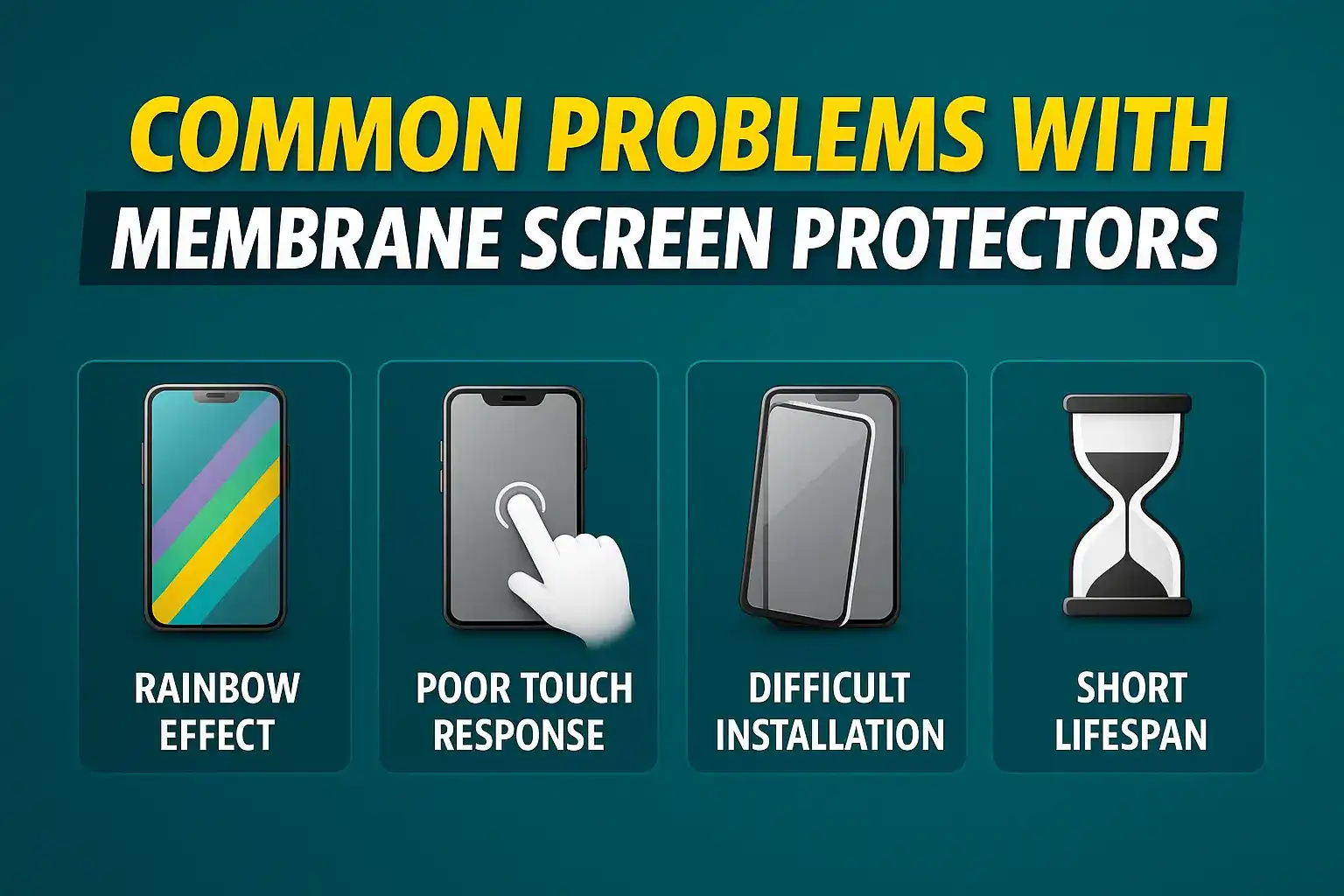
Membrane screen protectors (PET films or hydrogel films) are thin, flexible and budget-friendly. They protect your display from light scratches and dust without changing the phone’s look. However, they come with common issues — bubbles, edge lifting, yellowing, reduced clarity, touch problems and fingerprint incompatibility. This article explains each problem, why it happens, how to fix it (when possible) and how to prevent it.
1. Bubbles and Trapped Dust
Symptoms: Small or large air pockets under the film or tiny dark specks caught between film and screen.
Causes: Dust during installation, poor alignment, uneven pressing, or weak adhesive.
Fixes:
- Lift one edge gently, remove the dust with a dust-absorber sticker, then reapply.
- Use a card wrapped in microfiber to push bubbles toward the edge.
Prevention: Clean the display thoroughly (alcohol wipe → microfiber → dust sticker) and install in a low-dust area (bathroom after hot shower helps).
2. Edge Lifting & Peeling
Symptoms: Film lifts from corners or edges within days or weeks.
Causes: Poor adhesive, curved edges, case pressure pushing edges, or oil/dirt on the bezel.
Fixes:
- Press edges gently with a nylon card wrapped in microfiber.
- Try a thinner case or a case designed for film protectors if the case causes lifting.
Prevention: Use curved-edge compatible membrane for curved phones; clean bezel before installation; avoid overly tight cases.
3. Yellowing or Discoloration Over Time
Symptoms: Film turns slightly yellow or foggy after months.
Causes: Low-quality material, UV exposure, sweat, or chemical reaction with skin oils.
Fixes: Replace the protector — yellowing is not reversible.
Prevention: Choose higher-quality hydrogel or PET films and avoid prolonged direct sunlight exposure.
4. Decreased Screen Clarity / Hazy Look
Symptoms: Screen loses sharpness; colors look dull or slightly blurred.
Causes: Low optical quality, micro-scratches, trapped dust, or adhesive issues.
Fixes: Clean with a microfiber cloth and mild screen cleaner; replace the protector if scratches are many.
5. Reduced Touch Sensitivity / Ghost Touches
Symptoms: Sluggish touch response, inaccurate multi-touch, or accidental phantom touches.
Causes: Thick film, poor conductive properties, or air gaps under the film.
Fixes: Replace with a thinner, high-sensitivity film; re-register touch/fingerprint if needed.
6. Rapid Scratching or Permanent Scratches
Symptoms: Protector gets scratched quickly and looks worn.
Causes: Low hardness rating, contact with rough items (keys), or poor material quality.
Fixes: Replace the film; hydrogel may self-heal small marks but PET will not.
7. Oil, Smudge & Fingerprint Build-up
Symptoms: Oily patches and hard-to-clean fingerprints.
Causes: No or worn-out oleophobic coating.
Fixes: Clean regularly with an alcohol-free screen cleaner and microfiber cloth.
Prevention: Choose films with oleophobic treatment and avoid touching the screen with dirty hands.
8. Water / Moisture Trapped Under the Film
Symptoms: Tiny droplets or cloudy patches under the protector after humidity exposure.
Causes: Moisture trapped during installation or poor adhesion causing gaps.
Fixes: Remove the film, dry the screen completely and install a new protector.
Prevention: Install in a dry place and avoid installing immediately after a shower if edges may retain moisture.
9. Incompatibility With In-Display Fingerprint Sensors
Symptoms: Slow or failed fingerprint recognition.
Causes: Film thickness or material that blocks capacitive/optical sensor signals.
Fixes: Register fingerprints again while the protector is on; try a thinner, sensor-compatible film.
Prevention: Check product specs for “in-display fingerprint compatible” before buying.
10. Peeling Due to Case Compatibility
Symptoms: Protector peels near case edges after fitting a case.
Causes: Case lip presses against the film edge; protector not cut for case-friendly fit.
Fixes: Use a case with a gentler lip or choose a case-friendly screen protector.
11. Heat-Related Shrink or Edge Curl
Symptoms: Edges curl after exposure to heat (car dashboard, sunlight).
Causes: Low-quality adhesive or materials that react to heat.
Fixes: Replace with a heat-stable film.
12. Poor Adhesion / Foam Pockets
Symptoms: Small foam-like areas or pockets where the protector is not sticking well.
Causes: Adhesive degradation or contaminants under the film.
Fixes: Replace the protector; reapplying is usually not effective.
When to Replace a Membrane Protector
Replace when you notice multiple scratches, persistent edge lifting, yellowing, touch problems, or fingerprint issues. Heavy users should consider replacing every 3–6 months; lighter users may keep a film for 6–12 months depending on wear.
Quick Installation & Maintenance Checklist
- Wash and dry hands.
- Work in a dust-free area (bathroom after hot shower helps).
- Use alcohol wipe → microfiber cloth → dust sticker.
- Align carefully; use guide stickers if available.
- Press from center outward with a card wrapped in microfiber.
- Check edges and remove dust before final press.
- Clean daily with microfiber and mild cleaner (no harsh chemicals).
FAQs
Q: Are membrane protectors better than tempered glass?
A: It depends. Membrane films are thin, less visible and flexible; tempered glass offers stronger scratch and drop protection. Choose based on your priorities.
Q: Can I fix a yellowed film?
A: No — yellowing is irreversible. Replace the protector.
Q: My fingerprint sensor stopped working after installation — is the film the cause?
A: Possibly. Try re-registering fingerprint with the protector on; if it still fails, use a thinner, sensor-compatible film or remove it.
Q: Why do bubbles reappear after I pressed them out?
A: Because microscopic dust or poor adhesive may remain. Reinstall in a cleaner environment to avoid reappearing bubbles.
Conclusion
Membrane screen protectors are a convenient and cost-effective option for everyday scratch protection. Most common problems are related to poor quality materials or incorrect installation. With good quality film, careful installation in a dust-free environment, and regular maintenance, you can avoid these issues and enjoy clear, protected screens. If you need stronger protection from drops and heavy scratches, consider switching to tempered glass.


Add comment